Merge PDF files online for free with PDFPilot4U. Combine multiple PDF documents in seconds without losing quality. Fast, secure, and easy to use on any device.
Merge PDF Online for Free – Combine Multiple PDF Files in Seconds
Working with multiple PDF documents can quickly become messy. Whether you're submitting a college assignment, sending invoices to clients, sharing legal paperwork, or organizing office documents, handling several PDF files separately wastes time and increases the chances of missing important pages.
Instead of sending multiple attachments, you can combine PDF files into one organized document that is easier to read, share, print, and store. A single PDF also creates a more professional impression and makes document management much simpler.
With PDFPilot4U Merge PDF, you can merge multiple PDF files online in just a few clicks. There's no need to install software, create an account, or learn complicated editing tools. Simply upload your files, arrange them in the correct order, merge them, and download the combined PDF instantly.
Whether you're a student preparing project submissions, an HR professional organizing employee documents, a business owner sending contracts, or someone managing personal records, PDFPilot4U helps you combine PDF documents quickly and efficiently.
In this guide, you'll learn what a PDF merger is, why it's useful, when you should use it, and how PDFPilot4U makes the process simple for everyone.
What Is a PDF Merger?
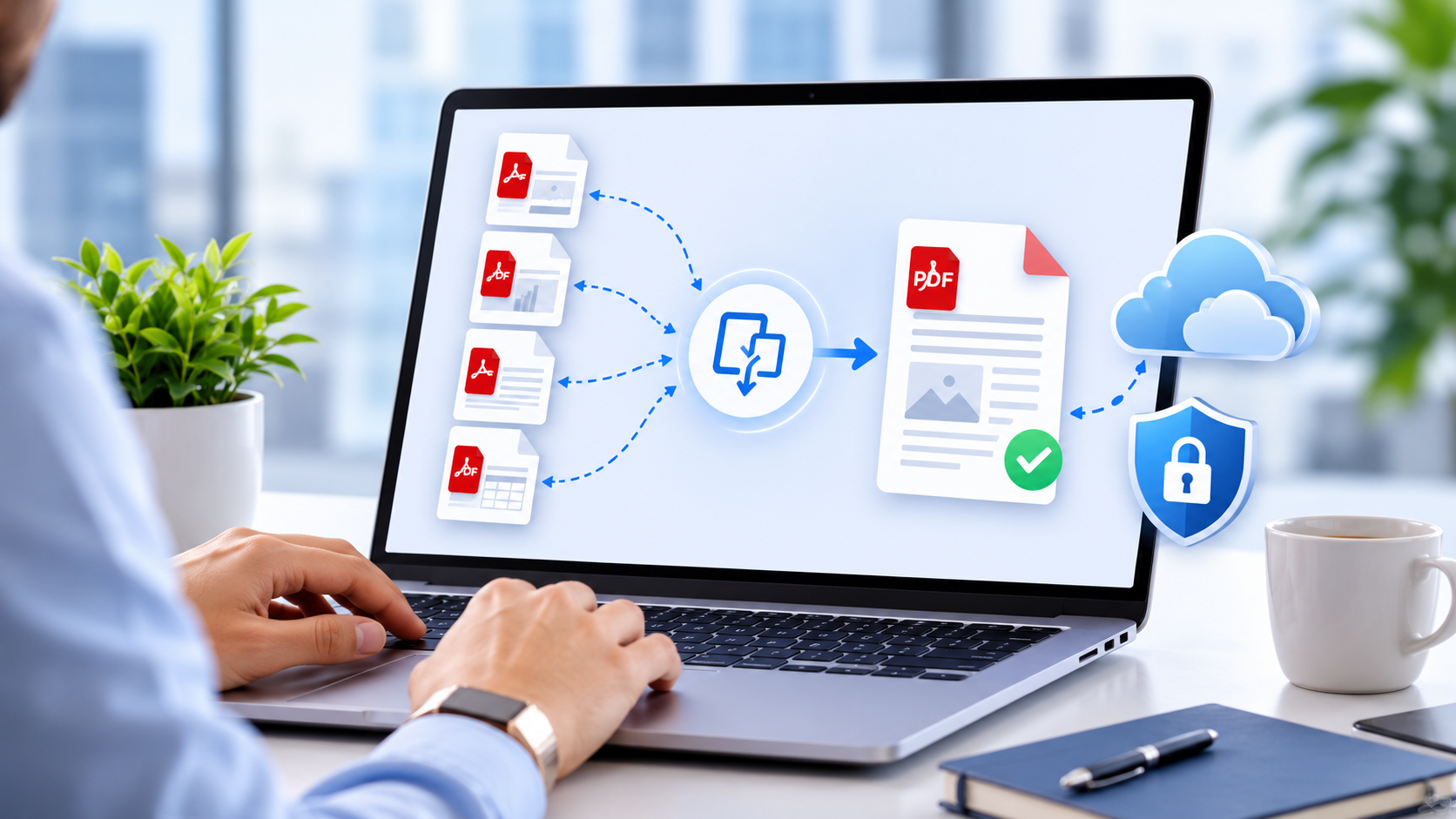
A PDF merger is an online tool that allows you to combine two or more PDF files into a single document without changing the original formatting. Instead of managing multiple files individually, you create one organized PDF that contains all your documents in the correct sequence.
For example, imagine you need to send:
A project report
Supporting documents
Signed approval letter
Budget sheet
Sending four separate attachments can confuse the recipient. By merging them into one PDF, everything stays together in the correct order, making it easier to review and download.
This is why Merge PDF Online tools have become an essential part of modern document management.
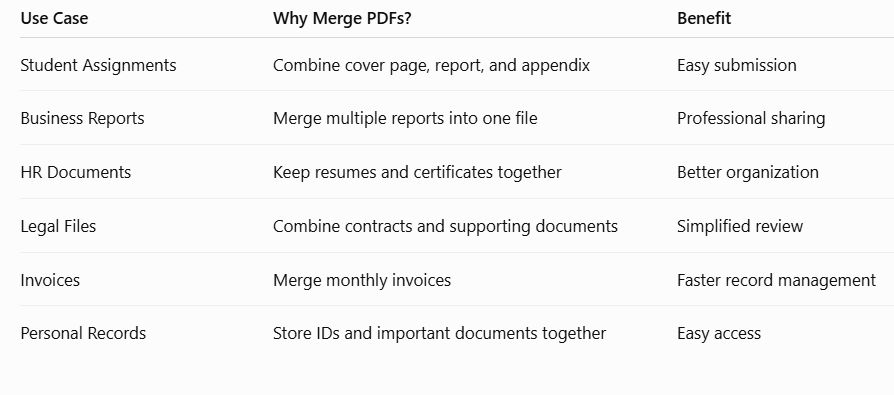
Why Do People Merge PDF Files?
People work with PDF documents every day, but managing multiple files isn't always convenient. Combining them into one PDF makes sharing, storing, and organizing documents much easier.
Here are some common situations where merging PDFs saves time:
Students
Students often need to submit:
Assignments
Cover pages
Research papers
Certificates
Project reports
Instead of uploading several files, they can combine everything into one PDF before submission.
Businesses
Businesses frequently merge:
Contracts
Proposals
Invoices
Financial reports
Presentations
A single PDF looks more professional and is easier for clients to review.
HR Professionals
HR teams regularly work with:
Resumes
Offer letters
Experience certificates
ID proofs
Employee records
Keeping these documents together improves organization and reduces paperwork confusion.
Freelancers
Freelancers often send:
Proposals
Portfolios
Agreements
Invoices
A merged PDF creates a cleaner and more professional client experience.
Legal Professionals
Law firms and consultants manage multiple contracts and supporting documents every day. Combining related files into one PDF simplifies documentation and record keeping.
Benefits of Merging PDF Files
Using an online PDF merger offers much more than convenience. It helps improve productivity, reduces document clutter, and makes file sharing easier across different devices.
1. Better Document Organization
Managing one PDF is much easier than handling five or six separate files. Everything stays together in the correct order, making it simple to find information whenever you need it.
2. Easier File Sharing
Sending a single PDF through email, messaging apps, or cloud storage is faster than attaching multiple documents. It also reduces the chances of accidentally forgetting an important file.
3. Professional Presentation
Whether you're sending a business proposal, client report, or job application, one organized PDF always looks more polished than several separate attachments.
4. Saves Time
Instead of opening and attaching multiple documents one by one, you can combine them into one file within seconds. This small change can save valuable time, especially if you regularly work with PDFs.
5. Works Across Different Devices
Modern online PDF merger tools work directly in your browser. Whether you're using Windows, macOS, Android, iPhone, or Linux, you can merge PDF files without installing additional software.
6. Simplifies Printing
Printing a single PDF is much easier than opening and printing multiple documents separately. This is especially useful when preparing reports, contracts, or educational materials.
7. Better File Management
A single merged PDF is easier to organize inside folders, upload to cloud storage, and search later when needed.
Why More People Prefer Online PDF Mergers
Years ago, combining PDFs required expensive desktop software that often needed installation, updates, and technical knowledge. Today, online PDF merger tools have completely changed the process.
With a browser-based solution like PDFPilot4U, you can merge PDF files from almost anywhere. Whether you're working from home, in the office, or while traveling, all you need is an internet connection and your PDF documents.
There is no need to worry about software compatibility or operating system limitations. Simply open the tool, upload your files, arrange them in the desired order, and download the merged PDF.
This convenience is one of the biggest reasons online PDF mergers have become the preferred choice for students, professionals, and businesses alike.
When Should You Merge PDF Files?
Many people think PDF merging is only useful for office work, but it has countless practical applications.
You should consider merging PDF files when:
You need to submit multiple documents together.
You're sending supporting documents to clients or colleagues.
You want to organize monthly reports into one file.
You're combining scanned pages into a single document.
You need one PDF for printing instead of several files.
You're creating a digital portfolio.
You're preparing travel, visa, or government application documents.
You want to archive related files in one organized document.
No matter the purpose, merging PDFs helps reduce clutter and makes document management far more efficient.
Why Choose PDFPilot4U Merge PDF?
There are many online PDF merger tools available, but choosing one that's fast, simple, and secure makes all the difference.
PDFPilot4U is designed for users who want a hassle-free experience. You can merge multiple PDF files directly from your browser without downloading software or creating an account. The interface is clean, easy to navigate, and suitable for both beginners and professionals.
Whether you're combining two files or twenty, PDFPilot4U helps you complete the task quickly while maintaining the original formatting of your documents.
In the next section, we'll walk through the exact steps to merge PDF files online using PDFPilot4U, along with best practices, common mistakes to avoid, and answers to the most frequently asked questions.
How to Merge PDF Files Online Using PDFPilot4U
Merging PDF files with PDFPilot4U is quick and beginner-friendly. You don't need any technical skills or additional software. Everything works directly in your web browser.
Follow these simple steps to combine multiple PDF documents into one file.
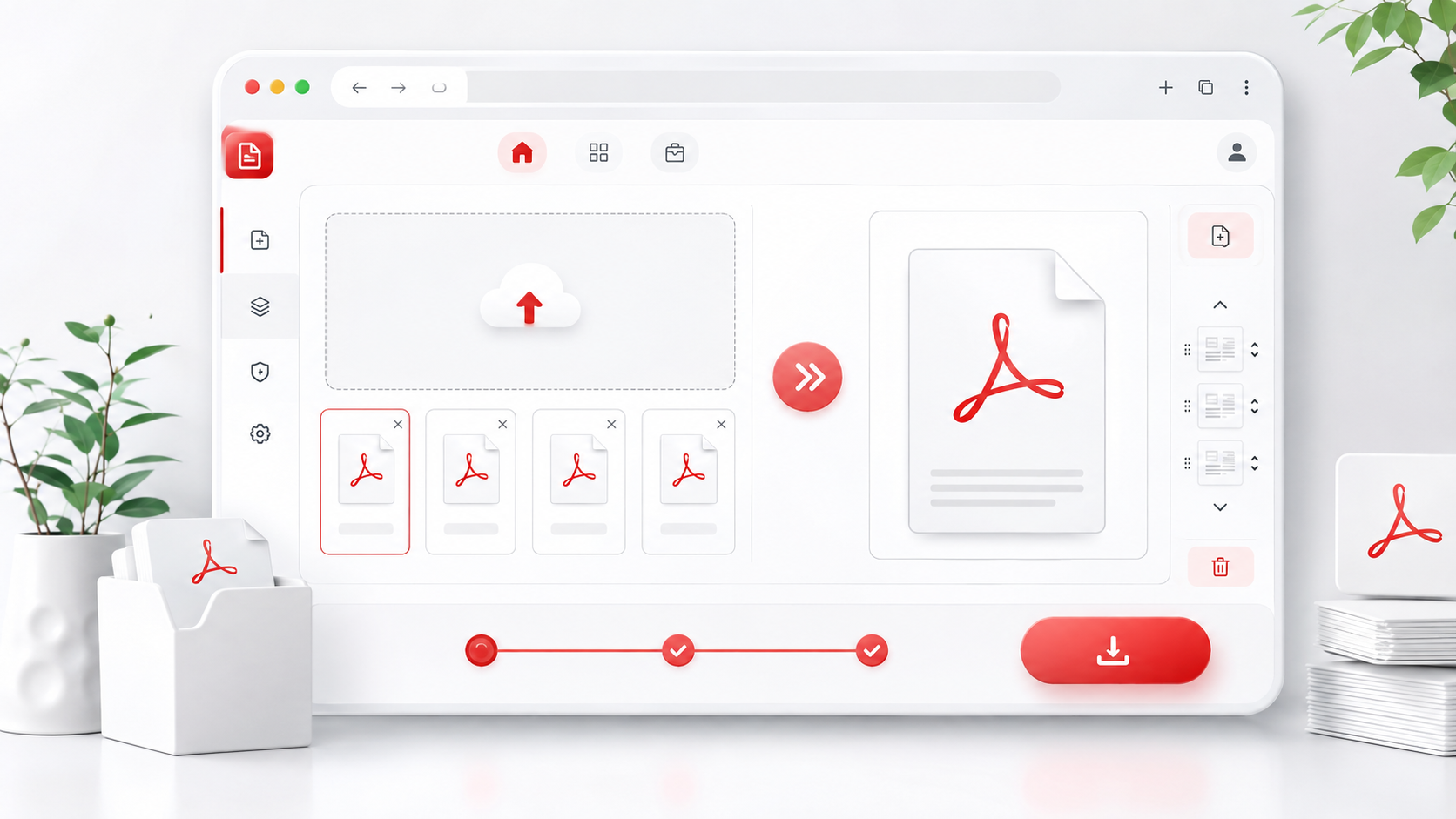
Step 1: Open the PDFPilot4U Merge PDF Tool
Visit the PDFPilot4U Merge PDF tool from your browser. Since it's an online tool, there's nothing to download or install.
Step 2: Upload Your PDF Files
Click the upload button and select all the PDF files you want to combine. You can choose documents from your computer or supported storage locations, depending on your workflow.
Step 3: Arrange the Files
Once your files are uploaded, arrange them in the order you want them to appear. This is especially useful when merging reports, contracts, presentations, or scanned pages.
Taking a few seconds to organize the files before merging helps ensure the final PDF is properly structured.
Step 4: Merge the PDFs
Click the Merge PDF button and let PDFPilot4U process your documents.
The tool combines your selected files into a single PDF while preserving the original layout and formatting.
Step 5: Download Your Combined PDF
Once the process is complete, download your newly merged PDF. Your document is now ready to share, print, upload, or archive.
The entire process usually takes only a few moments, making it a convenient solution for both personal and professional use.
Why PDFPilot4U Makes PDF Merging Easier
A good PDF merger should save time, reduce effort, and deliver consistent results. PDFPilot4U is designed with these goals in mind.
Fast Processing
Nobody wants to wait for documents to process. PDFPilot4U quickly combines multiple PDF files, helping you finish your work faster.
Beginner-Friendly Interface
You don't need prior experience with PDF editing tools. The clean and intuitive interface makes it easy for anyone to merge documents in just a few clicks.
No Software Installation
Unlike traditional desktop applications, PDFPilot4U works directly in your browser. There's no need to install programs, worry about updates, or use additional storage space.
Works Across Devices
Whether you're using a Windows PC, MacBook, Android phone, iPhone, or tablet, the tool provides a consistent experience across devices.
Preserves Document Formatting
The original layout, fonts, and page structure remain intact after merging, giving you a professional-looking final document.
Online PDF Merger vs Desktop PDF Software
When choosing a PDF merger, many users wonder whether they should use an online tool or install desktop software.
For most everyday tasks, an online PDF merger offers greater convenience. You can access it from almost any device with an internet connection, making it ideal for students, professionals, and remote teams.
Desktop software may include advanced editing features, but it often requires installation, regular updates, and sometimes a paid subscription. If your goal is simply to combine PDF files quickly, an online solution is usually the faster and more practical option.
With PDFPilot4U, you can merge PDF files without downloading applications or learning complex software, allowing you to focus on your work instead of managing tools.
Common Mistakes to Avoid When Merging PDFs
Although merging PDF files is simple, avoiding a few common mistakes can help you create better-organized documents.
Uploading Files in the Wrong Order
The final PDF follows the order of the uploaded files. Always review the sequence before merging.
Using Outdated Documents
Before combining files, make sure you're working with the latest versions. This helps prevent confusion and unnecessary revisions.
Forgetting to Review the Final PDF
After downloading the merged file, quickly check that all pages are included and appear in the correct order.
Combining Unrelated Files
Keep documents grouped by topic or purpose. Mixing unrelated PDFs can make the final document difficult to understand.
Best Practices for Better PDF Management
Following a few simple habits can make your merged PDFs easier to manage and share.
Use clear file names before uploading.
Arrange pages logically before merging.
Remove duplicate or unnecessary documents.
Keep related files together.
Review the merged PDF before sending it to others.
Store important PDFs in organized folders for future access.
These small practices help maintain professional and well-structured documents.
Who Uses PDFPilot4U Merge PDF?
A reliable PDF merger is useful in many different situations.
Students
Combine assignments, cover pages, research papers, certificates, and project documents into one submission-ready PDF.
Teachers
Prepare study materials, worksheets, lesson plans, and examination papers in a single organized document.
HR Professionals
Merge resumes, interview evaluations, offer letters, employee agreements, and identity documents into one file for easier record management.
Businesses
Combine contracts, invoices, quotations, financial reports, presentations, and project documentation before sharing them with clients or team members.
Freelancers
Create a professional client package by combining proposals, portfolios, agreements, and invoices into a single PDF.
Legal Professionals
Organize contracts, agreements, affidavits, and supporting documents for easier review and secure record keeping.
Why Organized PDFs Improve Productivity
Well-organized documents are easier to find, easier to share, and easier to understand.
Instead of searching through multiple files, you only need one PDF that contains everything in the correct order. This saves time during meetings, project reviews, document submissions, and client communication.
Whether you're preparing reports for work or organizing personal records, combining PDF files helps create a smoother and more efficient workflow.
In the final section, we'll answer the most common questions about merging PDF files, discuss document security, and share a few final tips to help you get the best results every time.
Is It Safe to Merge PDF Files Online?
When using any online document tool, security is one of the first concerns users have. Whether you're working with business reports, contracts, invoices, academic records, or personal documents, it's important to choose a platform that prioritizes secure file handling.
PDFPilot4U is designed to provide a simple and reliable PDF merging experience. You can combine PDF files directly from your browser without installing additional software, making the process convenient for both personal and professional use.
For confidential or sensitive documents, always ensure you're using a trusted PDF tool and avoid sharing downloaded files through unsecured channels.
Frequently Asked Questions
1. How do I merge PDF files online?
Open the PDFPilot4U Merge PDF tool, upload your PDF files, arrange them in the desired order, click Merge PDF, and download your combined document.
2. Is PDFPilot4U Merge PDF free to use?
Yes. PDFPilot4U allows you to merge PDF files online quickly and easily without installing software, making it a practical solution for everyday document management.
3. Can I combine more than two PDF files?
Yes. You can upload multiple PDF files and merge them into one organized document in just a few steps.
4. Will merging PDF files reduce document quality?
No. A PDF merger combines your existing PDF files while preserving the original text, formatting, and layout, so the final document maintains its quality.
5. Can I rearrange PDF files before merging?
Yes. Before merging, you can organize your files in the order you want them to appear in the final PDF.
6. Does PDFPilot4U work on mobile devices?
Yes. You can use the Merge PDF tool on smartphones, tablets, laptops, and desktop computers through a compatible web browser.
7. Do I need to create an account?
No. You can access the Merge PDF tool directly through your browser without creating an account, making the process quick and convenient.
8. Why should I merge PDF files instead of sending separate documents?
A single merged PDF is easier to share, print, store, and review. It also looks more professional and reduces the risk of missing attachments.
9. Who should use a PDF merger?
Students, teachers, HR professionals, freelancers, business owners, legal professionals, and anyone who regularly manages digital documents can benefit from a PDF merger.
10. Can I merge scanned PDF documents?
Yes. If your scanned pages are already saved as PDF files, you can combine them into one document using a PDF merger.
11. Is there a limit to how many PDFs I can merge?
The supported number of files or file size may depend on the tool's current capabilities. If you regularly work with large documents, check the Merge PDF page for the latest limits and supported options.
12. What other PDF tools should I use along with Merge PDF?
Depending on your workflow, you may also find these tools helpful:
Compress PDF to reduce file size before sharing.
Split PDF to separate pages into smaller documents.
PDF to Word for editing document content.
Word to PDF to convert documents into a universally accepted format.
JPG to PDF to combine images into a single PDF.
Using these tools together can make document management faster and more efficient.
Tips for Getting the Best Results
To create a clean and professional merged PDF, keep these best practices in mind:
Arrange your files in the correct order before merging.
Remove duplicate or unnecessary documents.
Use clear and descriptive file names.
Review the final PDF after downloading.
Keep related documents together in a single file.
Store important PDFs in organized folders for easy access later.
Following these simple practices can save time and help you maintain well-structured digital records.
Why Choose PDFPilot4U?
There are many online PDF tools available, but the best one is the one that helps you complete your work quickly without adding unnecessary complexity.
PDFPilot4U focuses on delivering a smooth experience with a clean interface and an easy-to-follow workflow. Whether you're combining two PDFs or multiple documents, the process is straightforward and suitable for beginners as well as professionals.
From student assignments and office reports to contracts, invoices, presentations, and personal records, PDFPilot4U helps you keep everything organized in one place.
Final Thoughts
Managing multiple PDF files doesn't have to be time-consuming. By combining related documents into a single file, you can improve organization, simplify sharing, and create a more professional experience for anyone who receives your documents.
Whether you're preparing a project submission, sending business reports, organizing HR records, or storing important paperwork, a reliable PDF merger can make the process significantly easier.
With PDFPilot4U Merge PDF, you can combine multiple PDF files online in just a few simple steps—without installing software or dealing with complicated settings. The tool is designed to help you work more efficiently while keeping your documents organized and ready to share.
If you're looking for a fast, user-friendly way to merge PDF files online, try PDFPilot4U Merge PDF today and simplify your document management workflow.
To help users manage PDFs more efficiently, you can also explore these related tools on PDFPilot4U: